
AI Burning Bridges Prompt: Do You Need to Write One?
Learn when a Burning Bridges AI prompt matters and why a fixed-reference photo-to-video generator only asks for your portrait.
Start with the kind of generator
“AI Burning Bridges prompt” can mean several different workflows. A text-to-video model needs words to describe a scene. A general character-replacement tool may need a source clip, character references, and instructions. A generator built around one party reference can supply those scene details itself.
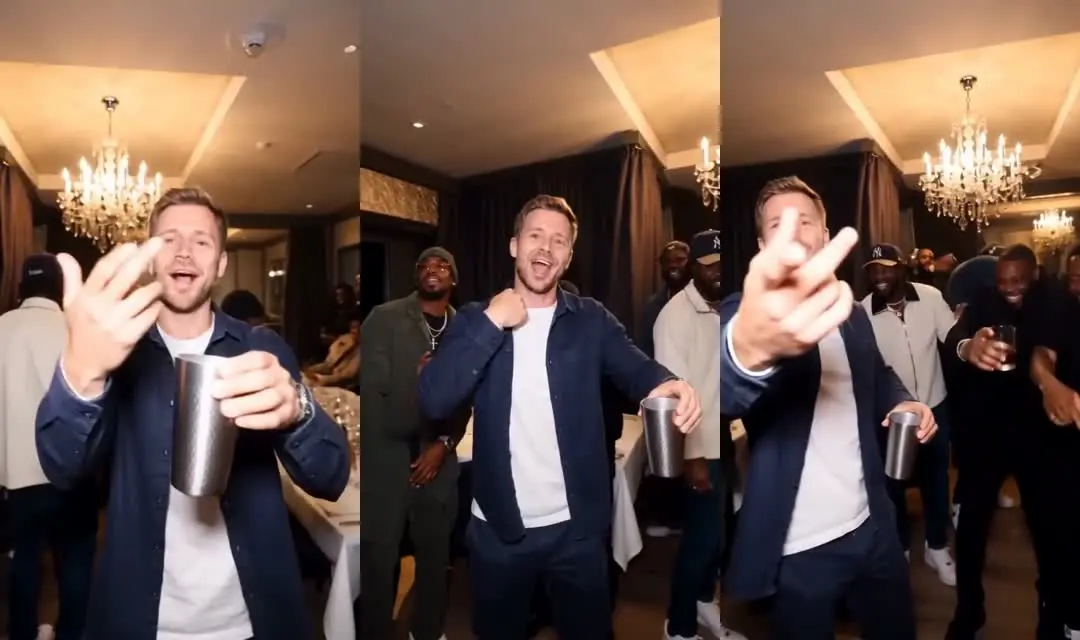
On this site, you do not write a prompt. You upload one portrait, review the generation details, and confirm the job. The fixed reference provides the party scene, including the camera gestures, cup, warm room, and crowd. Read the trend guide for a description of that format.
Why a longer prompt is not always helpful
Words are useful when the system accepts them and gives them a defined role. They are less useful when the workflow does not include a prompt field. Writing instructions into a filename or trying to place text inside the uploaded image does not provide a supported way to direct this generator.
If you use a different, general-purpose video model, check its documentation for how it accepts references and controls motion. A description of a party may produce a new scene rather than the recognizable reference. Adding more adjectives does not establish the same camera timing, crowd, or choreography.
We do not offer a “tested best prompt” here or claim a particular prompt's success rate. The relevant choice for this generator is whether its fixed scene matches the clip you want. Watch the reference demo to answer that question before spending credits.
Put your effort into the portrait
Select one consenting adult in a clear, front-facing photo. Even light, visible facial features, and a reasonably large face give the model a clearer reference. Avoid masks, sunglasses, group photos, and filters that substantially change the person's appearance.
The portrait is not an exact frame-by-frame blueprint. AI may change features during a turn, alter clothing, or distort fingers and props. These are reasons to inspect the completed video rather than assume the upload preview predicts every frame.
Our photo-to-video article focuses on image selection. The complete generation guide explains uploading, credits, task status, and downloading.
Know what you are purchasing
The current output format is a 15-second, vertical 9:16 video with source audio at 720p or 1080p. One generation costs 2,400 credits. See the current pricing and confirm the credit amount displayed in the generator.
There is no prompt setting for a longer duration, a different aspect ratio, or an included soundtrack in this workflow. If those requirements are essential, assess them before you start. Sound added later remains subject to the rights and terms of the destination platform.
A simple next step
Choose a portrait you are allowed to use, then open the AI Burning Bridges generator. Watch the scene, check the input, and confirm only when the format and cost suit your goal. After generation, review the entire result and disclose its AI origin when sharing.